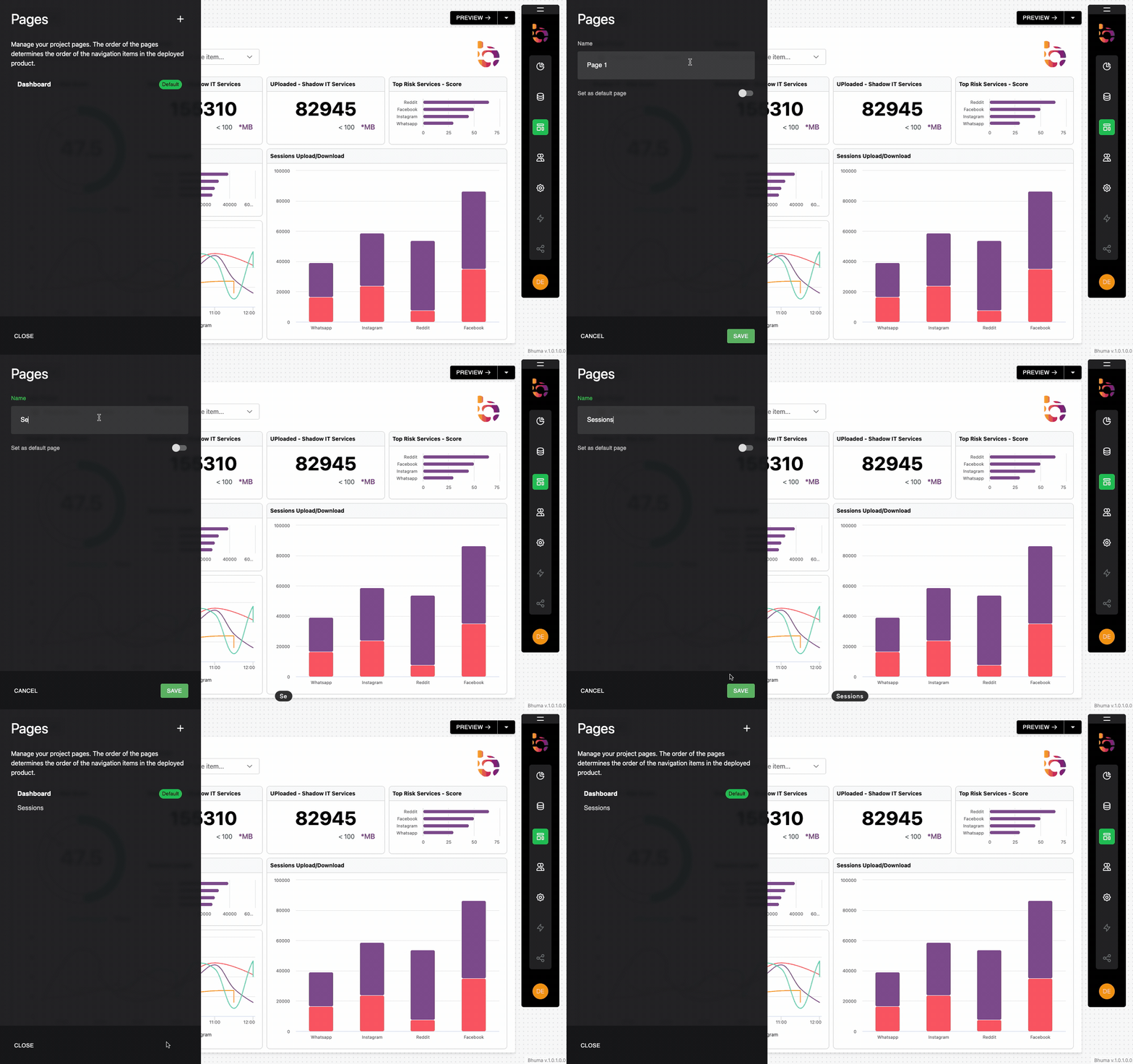
New PageSessions Page Preview Instructions 1. Go to "Pages" and press the '+' icon to add another page 2. Enter "Sessions" as the Name for the new page. 3. Click the "Save" button to save the new page. Updated about 1 year ago Managing PagesRaw DataAsk AI