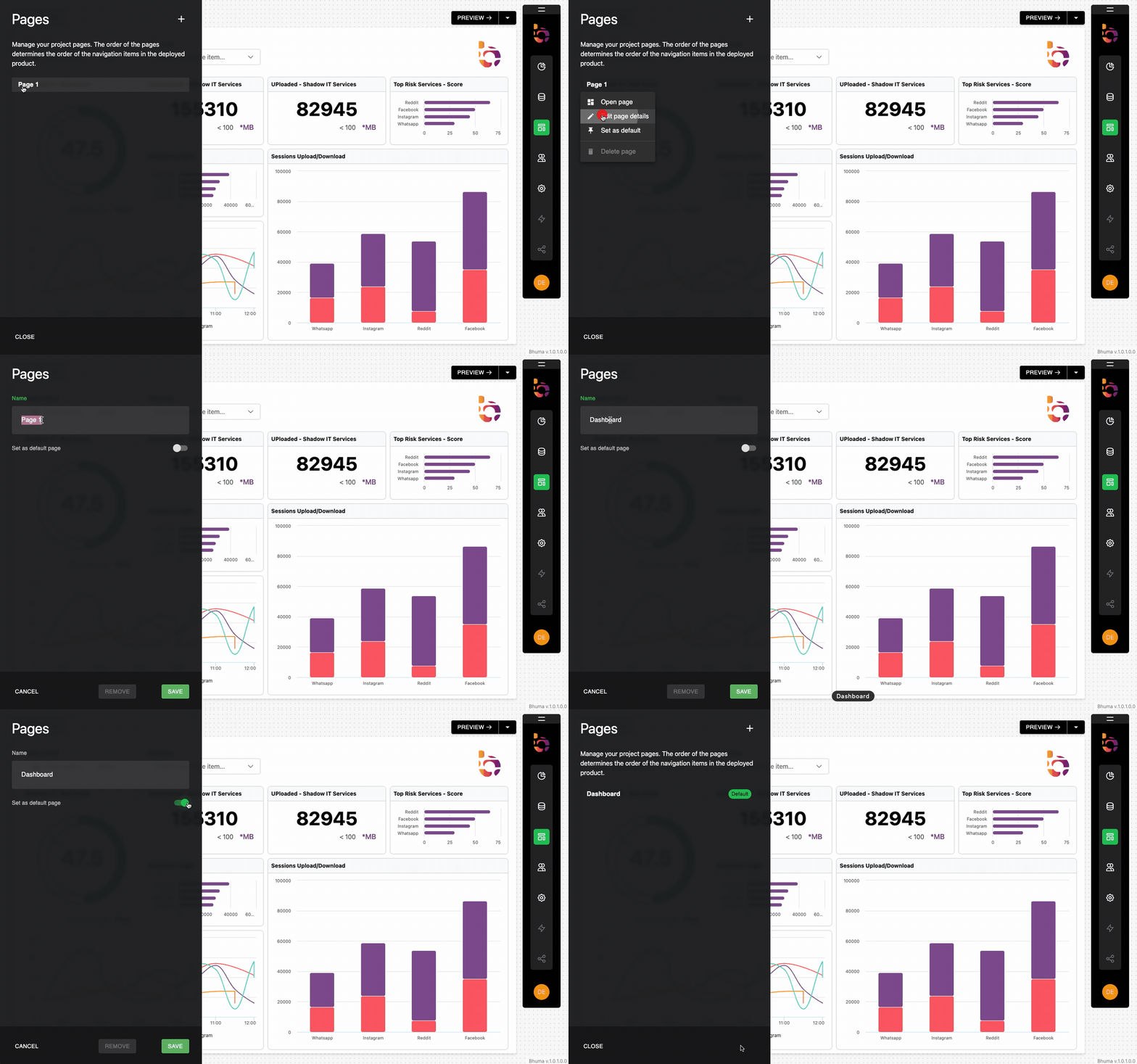
Managing PagesEdit Page 1 Preview Instructions 1. Click the "Page 1" and seled "Edit page details". 2. Enter "Dashboard" as the Name for the new page. 3. Select "default page" as the page type and click the "Save" button. Updated about 1 year ago Sessions Upload/DownloadNew PageAsk AI